

Overview
MCP Blacksmith validates your specification at two stages:- On upload — structural issues and required metadata are checked automatically using openapi-spec-validator. This validation always runs and blocks further steps if the specification is malformed. See Specification Upload for details.
- Pre-generation — the specification is syntactically validated against the OpenAPI standard. If the specification is found to be malformed, generation is blocked and errors are reported in the console.
How to validate
In the dashboard:- Upload your specification
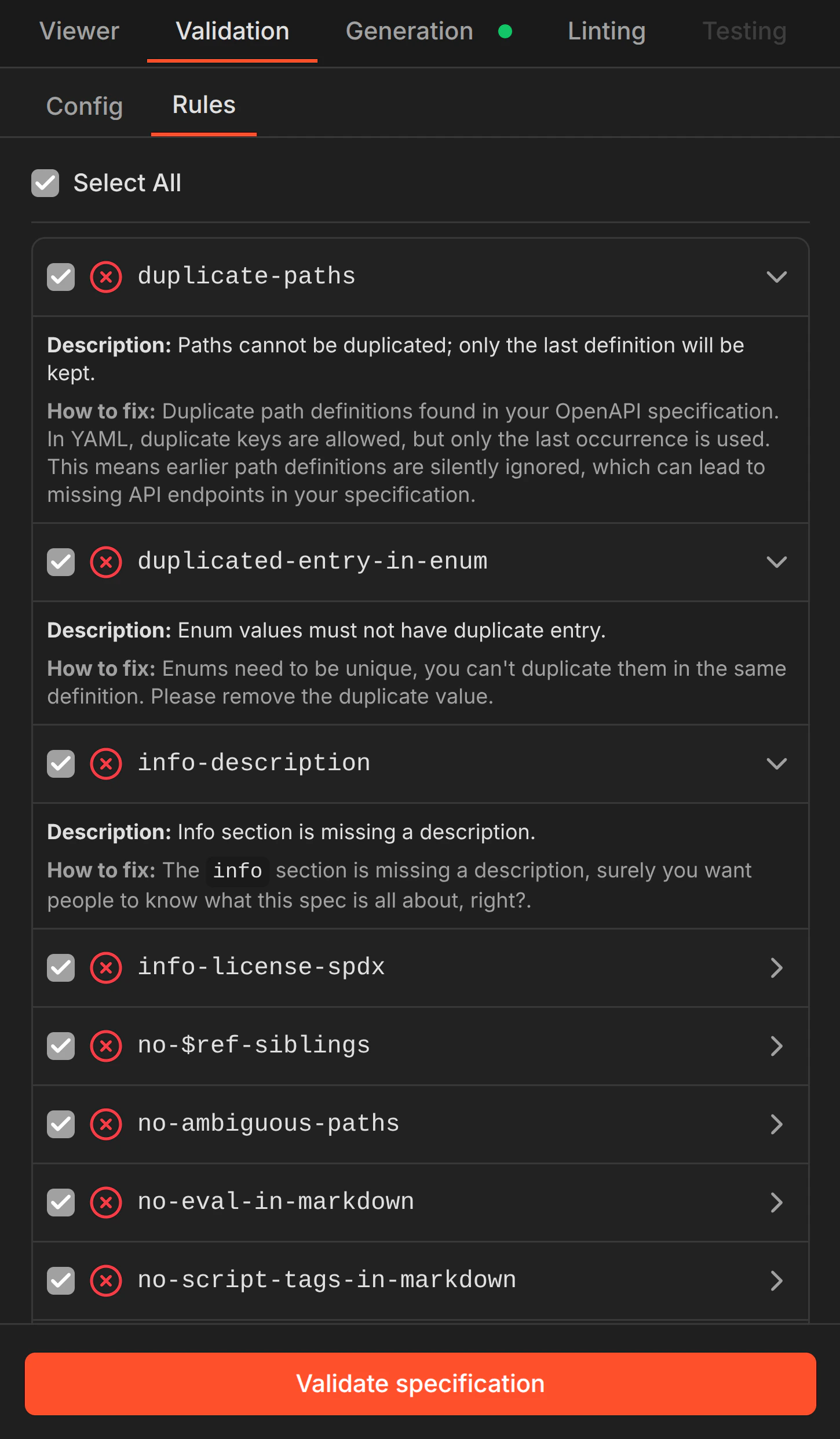
- Navigate to the Validation tab
- Select the validation rules you want to run (or use Select All)
- Click Validate specification
The Viewer currently supports viewing only. Editing specifications directly within the dashboard will be available in a future release.
What it checks
Validation rules cover structural correctness, security patterns, and specification quality:- Structural issues — duplicate paths, broken
$refreferences, ambiguous path definitions, missing required fields - Security concerns — missing API description,
$refsibling conflicts, eval-in-markdown, script tags in markdown - Quality improvements — missing operation descriptions, duplicate enum entries, license identifiers, naming conventions
Why it matters
A better specification produces a better server. Validation helps you:- Discover errors that could affect security patterns and generated code quality
- Identify missing descriptions that result in undocumented tools
- Catch duplicate or ambiguous paths that lead to silent overwrites
- Surface broken references before they become runtime errors