

Overview
Enhancement passes analyze your API operations and optimize the generated server for better AI agent interaction. Passes make tools and parameters not only LLM-friendly but also token-aware — reducing the number of tokens consumed by tool definitions while preserving their semantic meaning. The Metadata Filter is rule-based and always free. The remaining three passes are AI-driven and consume credits.Model selection
AI-driven passes use Anthropic’s Claude models, which consistently outperform other providers when processing OpenAPI specifications and code-like formats. A more capable model produces better results across all passes — we recommend Claude Sonnet 4.6 for the best balance of quality and speed. Model selection is configurable in the Generation tab. Additional models from other providers may be introduced in the future once we confirm stable behavior across the full pass pipeline.Metadata Filter
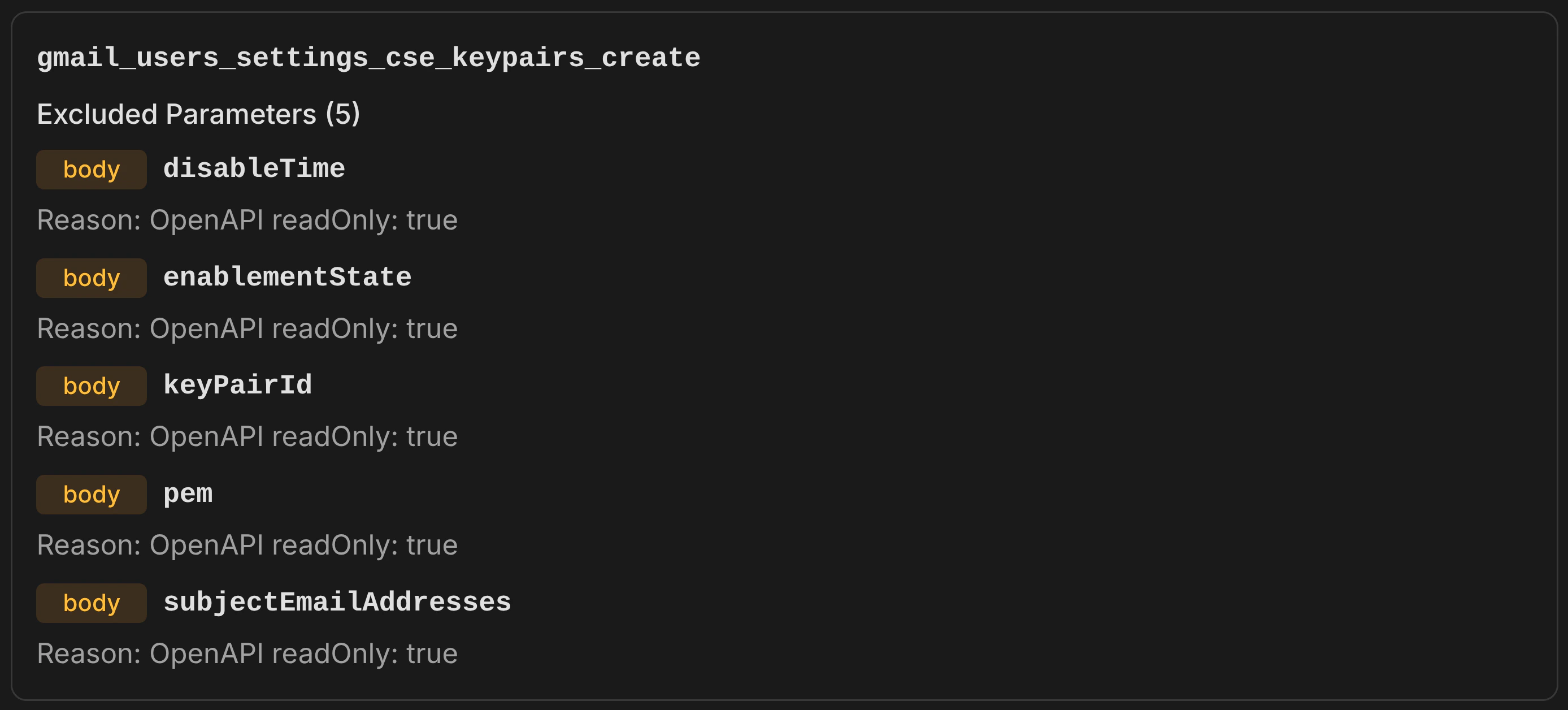
Removes parameters and operations that are provably irrelevant for API requests, using only OpenAPI specification metadata — no heuristics, no keyword matching. What it removes:- Read-only parameters (
readOnly: true) — response-only fields like server-generated IDs, computed counts, and timestamps that cannot be set in requests - Explicitly non-writable parameters (
writeOnly: false) — fields marked as response-only - Deprecated parameters (
deprecated: true) — outdated fields the API provider has flagged for removal - Deprecated operations (
deprecated: true) — entire endpoints the API provider has flagged for removal
Parameter Filter
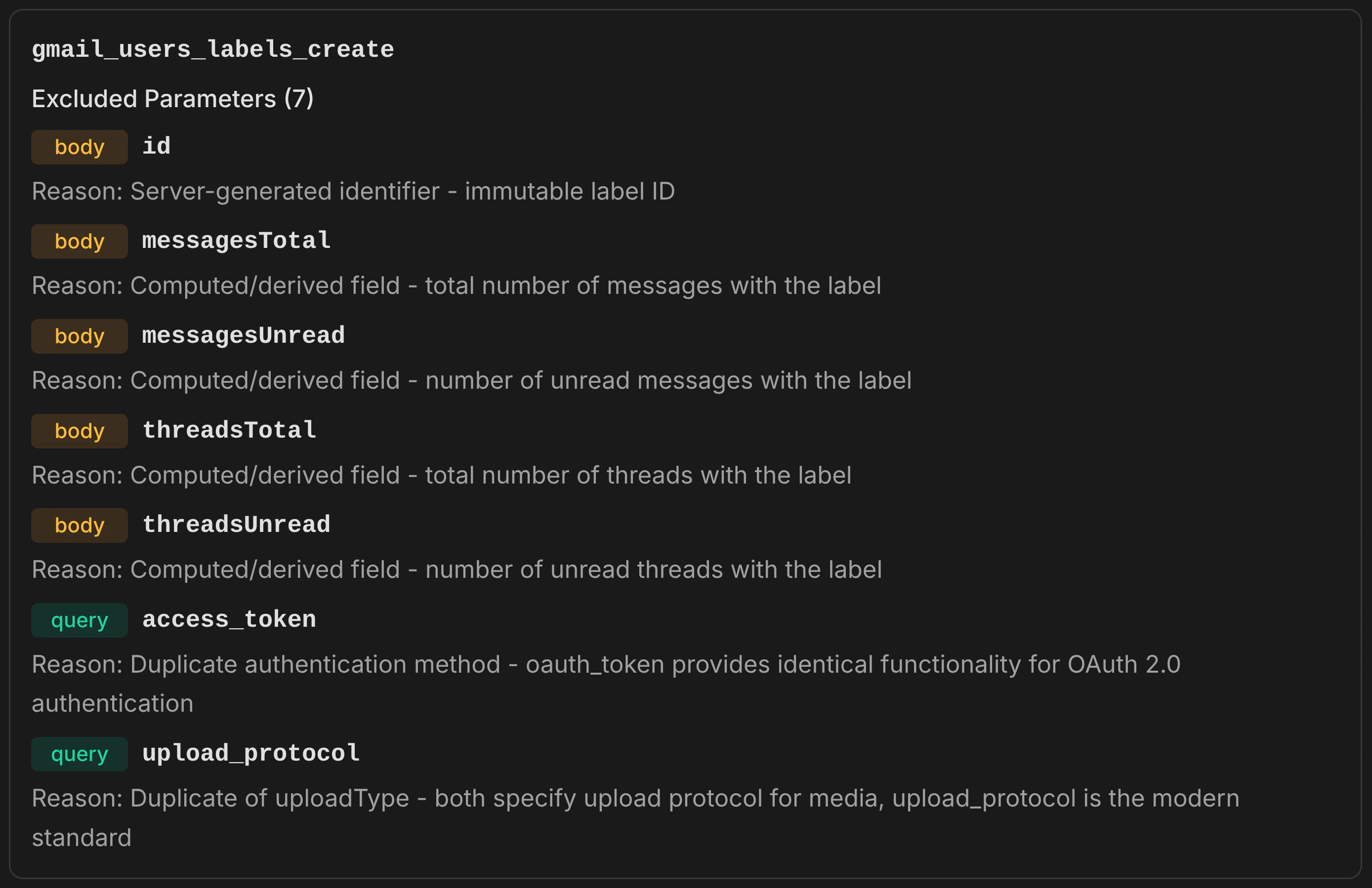
Identifies and removes parameters that add noise to tool definitions without providing value for typical API usage. Runs in two phases. Phase 1 — Field Curation: An LLM analyzes each operation’s parameters and identifies low-value fields such as:- Server-generated fields — internal IDs, ETags, and metadata the API manages automatically
- Computed and derived fields — byte sizes, message counts, content snippets that the server calculates
- Response structure controls — field masks, expand directives, and view selectors that control response shape rather than request content
- Server-managed timestamps — creation, modification, and deletion timestamps that the API sets automatically
- Hierarchical duplicates — when both a complete object (
body::message) and its individual fields (body::message::subject,body::message::body) are exposed, the simpler representation is kept - Duplicate identifiers — the same identifier appearing in multiple locations (path, query, body), resolved by priority: path > body > query
- Alternative encodings — plaintext kept over base64 variants; direct content kept over URL pointers
Parameter Consolidator
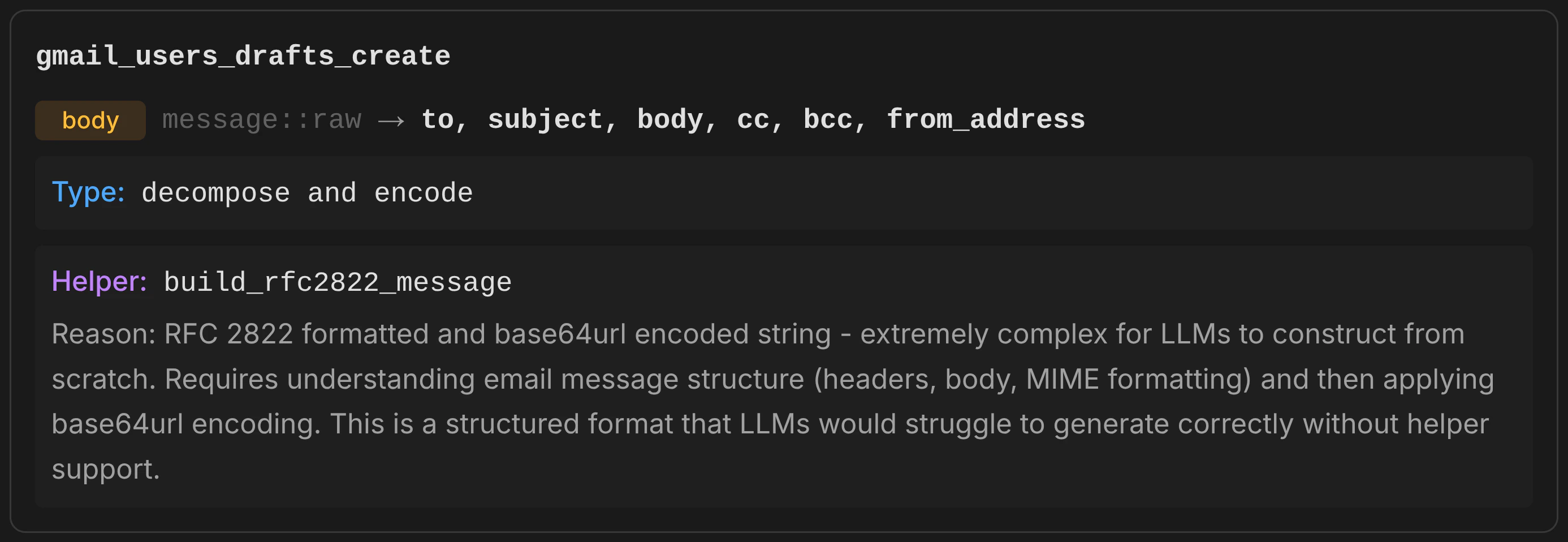
Identifies complex, non-LLM-friendly parameter representations and replaces them with simpler alternatives backed by auto-generated helper functions. Runs in two phases. Phase 1 — Transformation Analysis: An LLM evaluates each parameter and transforms it when the representation is too complex for an LLM to reliably construct. Transformations include:- Decompose — a single complex parameter is split into multiple simpler ones. For example, a parameter expecting RFC 2822 email format with base64 encoding is replaced with separate fields (to, subject, body, cc, bcc) and a helper function (
build_rfc2822_message) handles assembly and encoding. - Compose — multiple related parameters are merged into a single, simpler one (less common, but applies when several parameters combine to form a structured value).
- Complex DSL rewriting — a parameter expecting a query language with operators (AND, OR, NOT, parentheses) is replaced with individual filter fields and a helper function builds the query string.
body::message::raw in both create_draft and send_message), the consolidator ensures consistent transformations — same helper function, same decomposed fields, same behavior everywhere.
Why it matters: Without this pass, an AI agent asked to “send an email” would need to construct an RFC 2822 formatted string, base64url-encode it, and pass it as a single opaque parameter. With this pass, the agent simply provides to, subject, and body — the generated helper function handles the rest.
While modern LLMs are capable of crafting complex parameter content such as DSL queries and base64-encoded payloads, doing so on every request adds repetitive token consumption and latency. Offloading these structural tasks to the MCP server via helper functions saves both time and tokens across repeated tool invocations.
Tool Enhancer
Improves tool names, descriptions, and parameter descriptions for better discoverability and usability by AI agents. Resolves duplicate operation names across the API. What it enhances:- Operation names — converted to action-oriented
verb_nounpatterns. API-specific prefixes are removed, and related operations use consistent nouns (eg. all message operations use_messagerather than mixing_msg,_mail,_email) - Operation descriptions — rewritten to clearly describe what the tool does, including key constraints and expected behavior in 1–2 sentences
- Parameter descriptions — enriched with context, valid ranges, expected formats (ISO 8601, comma-separated), and constraint information
get_message operations become get_message, get_message_thread, and get_message_event.
Why it matters: OpenAPI specifications often contain developer-focused, cryptic, or low-quality descriptions that poorly characterize their purpose. Operation IDs may be machine-generated identifiers like gmail.users.messages.send or drives_v3_files_copy. The Tool Enhancer rewrites these into clear, action-oriented names and rich descriptions that AI agents can reliably interpret — leading to better tool selection and correct parameter usage on the first attempt.
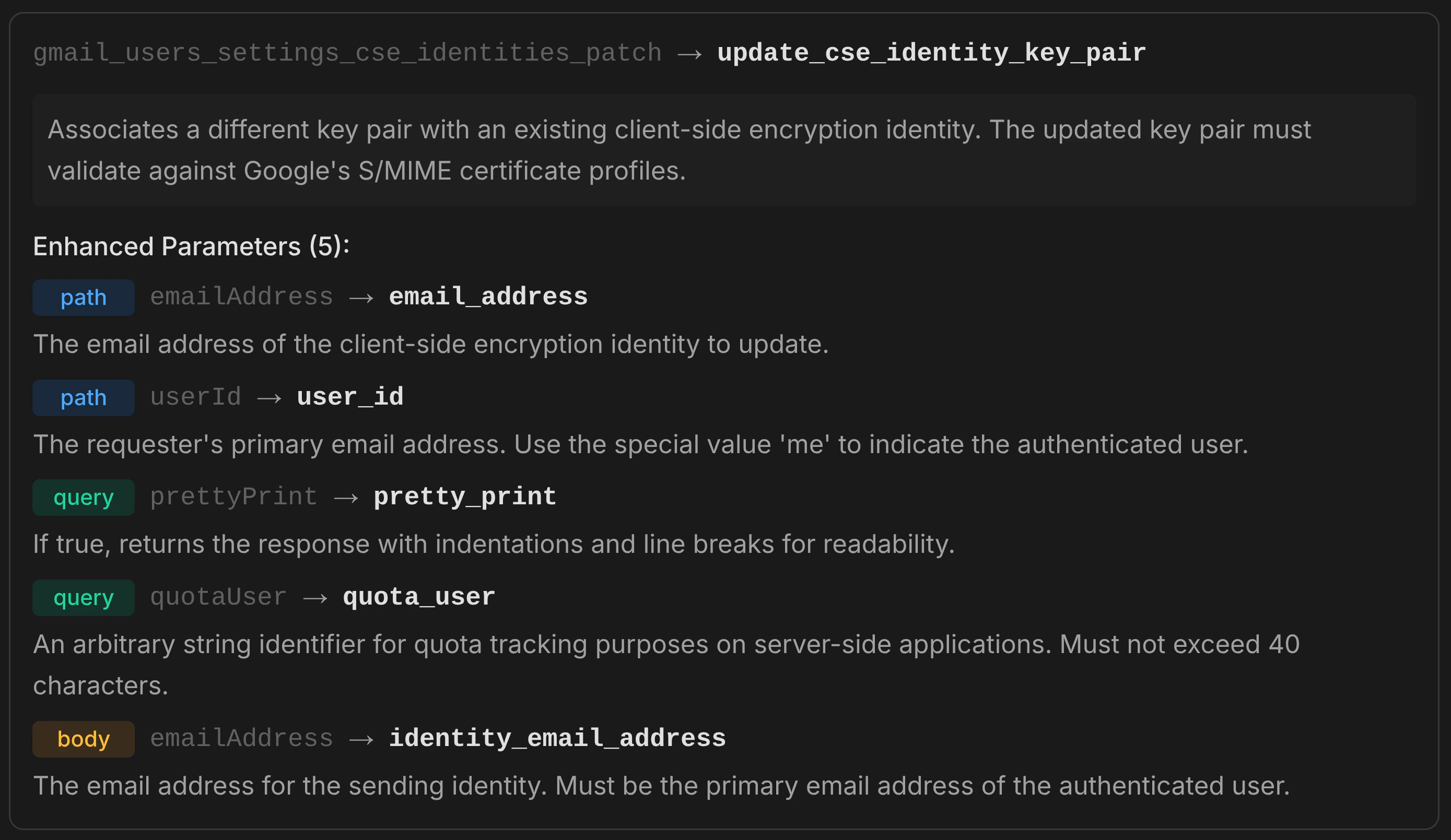
Parameter names are not enhanced — they are preserved exactly as defined in the specification. Original names are needed for full upstream API compliance: error messages and response fields reference the spec-defined names, and renaming them would break that link. Parameter names are generally trivial for LLMs to understand regardless of style; descriptions are where enhancement has the most impact and are the primary focus of this pass.
How to use
In the dashboard:- Upload your specification and generate the base server (free)
- In the Generation tab, enable the passes you want
- Configure which operations to optimize (all or selected)
- Click Generate — credits are consumed based on operation count for the AI-driven passes